A Google Business Profile Recovery Case Study – by GMI
Some clients come to us with a ranking problem in Google search results or visibility in AI platforms. This one came to us with a survival problem. Business volumes were effected due to last mile conversions had reduced drastically.
A retail brand with 10 storefronts across the emirate of Abu Dhabi, the capital city of the UAE had every one of its Google Business Profile listings suspended at the same time. The brand disappeared entirely from the platform that mattered most for local discovery and footfall. Although the brand had an e-commerce store, a considerable proportion of their buyers like to see the product and range of competing options before they make their purchase. After all, appearances matter for many products!
The business and brand name is intentionally avoided in this case study. The product category is also not mentioned in this case study. We respect confidentiality and privacy concerns of our clients. All the same, we vouch for all technical details and the complete resolution of the issue within two to two and half months of patience, perseverance, and responsive support of the Google Business Profile team.
No map pin. No Call Now button. No directions. No way for a nearby customer even to confirm the store existed.
For a retail business built around local visibility, this wasn’t a drop in rankings. It was a blackout.
We took the case on as a challenge. Here is how all 10 locations were reinstated in two and a half months.
The Starting Point: Complete Visibility Loss
When a Google Business Profile (GBP) gets suspended, Google rarely provides a clear explanation. Businesses are left digging through policy pages, guessing what triggered the issue, and hoping the next appeal doesn’t make things worse.
Now multiply that uncertainty across all 10 retail outlets – separate individual GBL listings under one brand.
Each account needed to be handled carefully because one poorly handled appeal could delay or jeopardize the others. So before submitting anything, the priority was getting clarity.
The Recovery Process
Step One: File the Appeal

Every recovery starts inside the Google Business Profile Manager. For each of the 10 suspended listings, the flagged location was selected, opened, and the formal appeal request was triggered. This is the only path Google gives you to challenge a suspension.
The moment each appeal went in, Google came back with the same ask every time: evidence. Real, verifiable proof that this was a legitimate, physically operating business and not a scraped or duplicate listing. That single requirement shaped everything that followed.
Step Two: Build a Store-by-Store Documentation Package
For each of the 10 locations, a complete verification package was assembled, including:
- Company registration documents proving the retail brand is a legitimate, licensed business entity
- Utility bills tied to each store address to confirm physical occupancy
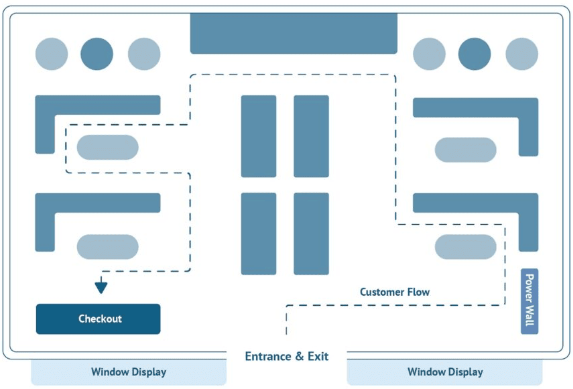
- Interior and exterior photographs showing storefront signage, counters, shelves, and store layout
- Full walkthrough videos beginning outside the location and moving through the store interior in detail
Every submission was built individually because Google cross-checks listing details against existing account data, including addresses, phone numbers, and business information. Even a small mismatch can trigger another suspension review.
Step Three: Make Every Detail Google-Compliant
Before submitting a single case, every listing detail was audited for consistency.
Phone numbers, addresses, categories, and listing URLs were checked against Google’s guidelines and existing records to ensure full NAP consistency (Name, Address, Phone).
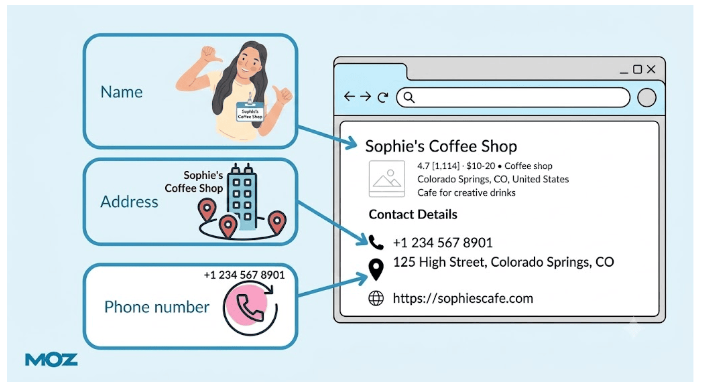
In reinstatement cases, consistency is not optional. It is often the deciding factor between approval and another suspension.
Step Four: Submit, Review, Correct, Repeat
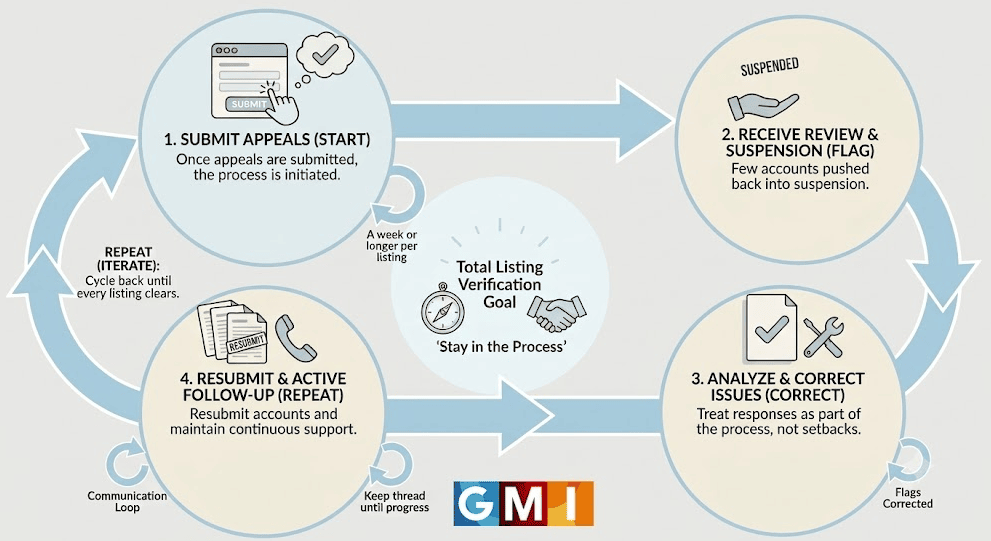
Once submitted, Google’s review cycles typically took a week or longer per listing. That was only the beginning.
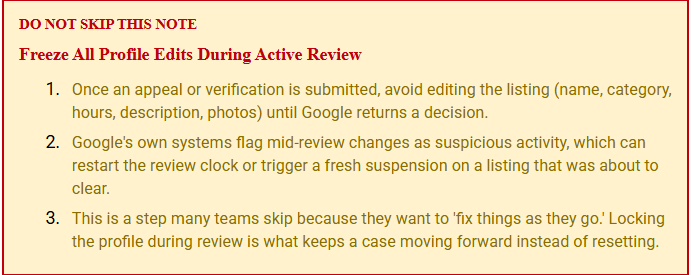
Few accounts were pushed back into suspension after Google detected inconsistencies within its own verification checks. Rather than treating those responses as setbacks, they were treated as part of the process.
- Every flagged issue was corrected.
- Every account was resubmitted.
- Every support thread stayed active until progress moved forward.
The goal wasn’t just to submit appeals. The goal was to stay in the process until every listing cleared verification.
Step Five: Managing the Video Verification Stage
.
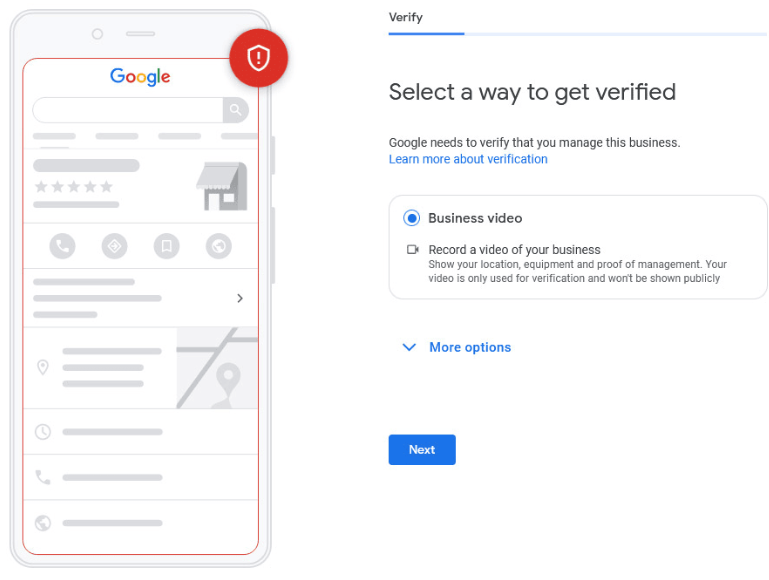
For multiple locations, Google required an additional step: Business Video Verification.
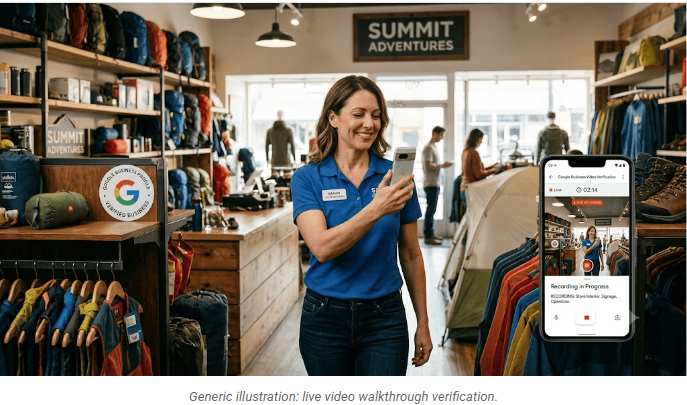
These verifications had to be recorded live from inside the store while following Google’s specific review requirements.
This stage depended heavily on the client’s in-store teams. Store managers and staff were responsible for physically filming and submitting the walkthroughs, but they understandably didn’t know what Google reviewers expected to see.
So direct guidance was provided on:
- What areas needed to be shown
- How to move through the store during filming
- Which business elements Google checks during verification
- What mistakes could cause a failed verification review
Store by store, the videos were recorded, submitted, and approved
.
The Timeline: Two and a Half Months of Continuous Follow-Up
Early Phase
Direct communication was established with Google Business Profile support, documentation requirements were clarified, and location-specific verification packages began to take shape.
Mid Phase
Registration documents, utility bills, photos, and walkthrough videos were submitted across all 10 listings. Initial review cycles began, each taking approximately one week or longer.
The Grind Phase
Several listings were re-suspended because of data mismatches and verification inconsistencies. Issues were corrected, documentation was resubmitted, and communication with Google support teams continued without gaps.
Verification Phase
Google issued Business Video Verification requests for multiple locations. On-site teams were coached through compliant recording procedures, allowing successful submissions to move forward.
Final Phase
Listings were reinstated one by one until all 10 locations were fully verified and live again by the two-and-a-half-month mark.

The Result
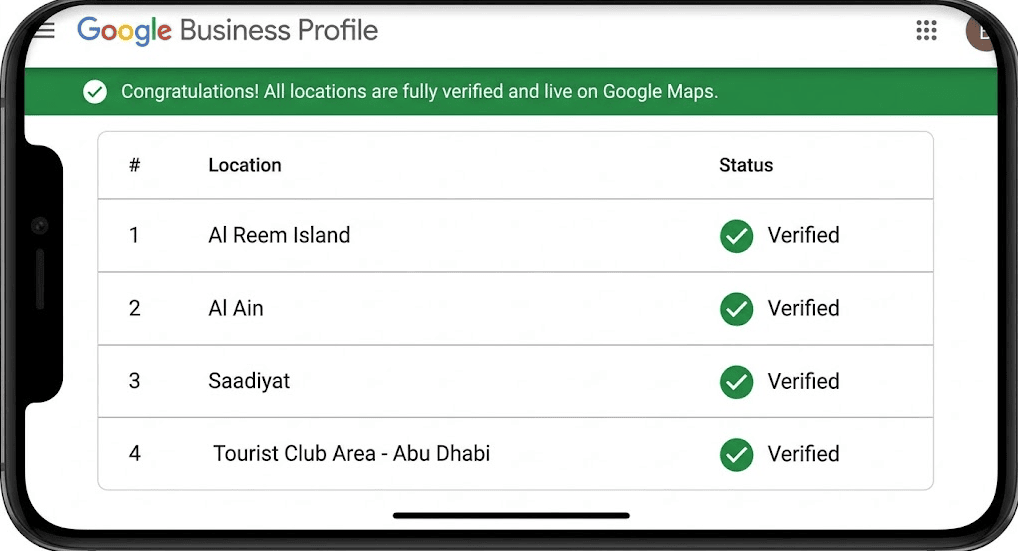
All 10 locations are now fully reinstated on Google and visible in local search results again.
| # | Location | Status |
| 1 | Al Reem Island | Reinstated |
| 2 | Al Ain | Reinstated |
| 3 | Saadiyat | Reinstated |
| 4 | Tourist Club Area- Abu Dhabi | Reinstated |
Customers can once again:
- Find nearby stores
- Get directions
- Call locations directly
- Confirm operating hours
- Discover the business through Google Maps and local search
Everything that disappeared during the suspension is now fully restored

What This Case Reinforce
1. Ask Google Exactly What It Needs
Generic reinstatement appeals waste time. Direct communication with support and a clear documentation checklist create faster, more accurate submissions.
Keep every possible business document ready: utility bills, e-bills, exterior and interior images, and a backup video that starts outside the store and captures the street view and nearby shops. Where present, include biometric or entry systems near the door, the cash counter, the POS system, a quick product or shop tour, and any back-of-house area such as a warehouse or store room. These details help Google understand the shop is genuine and speed up approval.
2. NAP Consistency Is Critical
Even minor mismatches in business information can trigger renewed suspensions after approval.
3. Video Verification Is a Process
Store teams do not need SEO expertise, but they do need guidance on what Google reviewers expect to see during verification walkthroughs.
4. Multi-Location Recovery Requires Individual Attention
Ten listings means ten separate cases, ten documentation trails, and ten ongoing follow-up processes.
5. Persistence Matters
Every one of these listings faced resistance at some stage of the reinstatement process. The reason they came back live is simple: the follow-up never stopped.